
A lot of what you'd want an assistant to do lives behind a website. For example, checking whether a flight got cheaper or pulling last month's invoice out of an account. For those tasks your assistant opens a browser and uses it the way you would.
Before it can do any of that, it needs a browser to use. HolaClaw gives you two ways to provide one, and they're genuinely different: one drives the Google Chrome already installed on your Mac, the other runs a browser inside the assistant's virtual machine where you never see it. The option you pick decides whether you can help your assistant when a site asks for a human.
This page covers making that choice. For how your assistant behaves once it's browsing, see Browsing the web.
Choose a browser when you create an assistant
The choice happens at Step 3 of the Create Assistant wizard, on the screen titled "How should HolaClaw browse the web?".
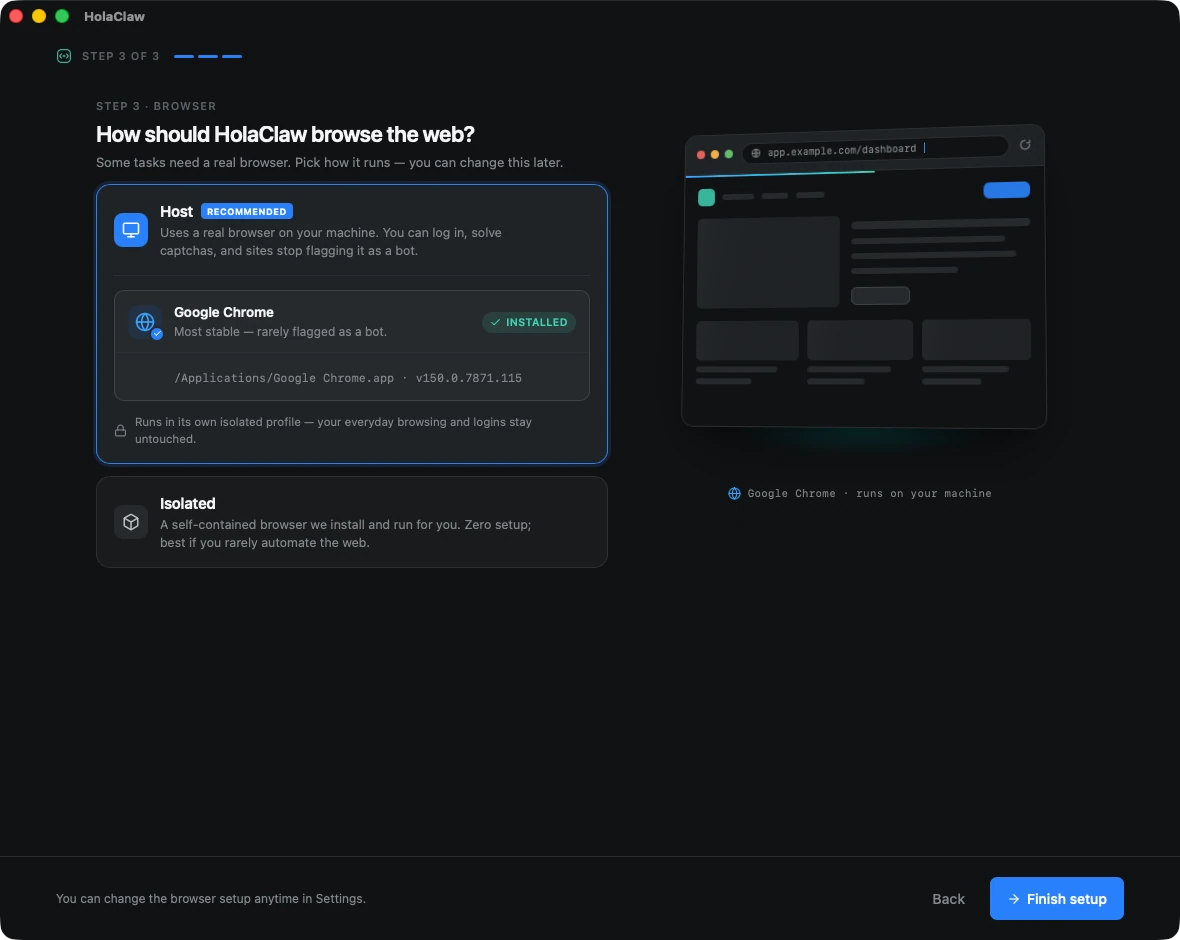
There are two options.
Host is selected by default and marked Recommended. It uses the real Google Chrome installed on your Mac.
If Chrome isn't found, you get a link to download it and a Re-scan button. Install Chrome, and hit Re-scan. You can't finish setup with Host selected while Chrome is missing, so either install it or switch to Isolated.
Isolated is the other option. It runs a browser inside the agent environment. It's easier to run, but more prone to issues.
Pick one and press Finish setup.
Host: your own Chrome
With Host, your assistant drives the Google Chrome that's already on your Mac. It's a real browser on a real machine, which is what makes the difference:
- You can log in. Sign in to a site once, yourself, and your assistant works from that signed-in session afterwards.
- You can step in. When a captcha or a confirmation appears, you solve it and your assistant carries on from there.
- Sites treat it normally. Automated browsers get detected and blocked constantly. This one is far less likely to be, because it isn't one.
The window is visible, and it's tinted purple so you never confuse it with your everyday Chrome. It opens on a page that explains what it is:
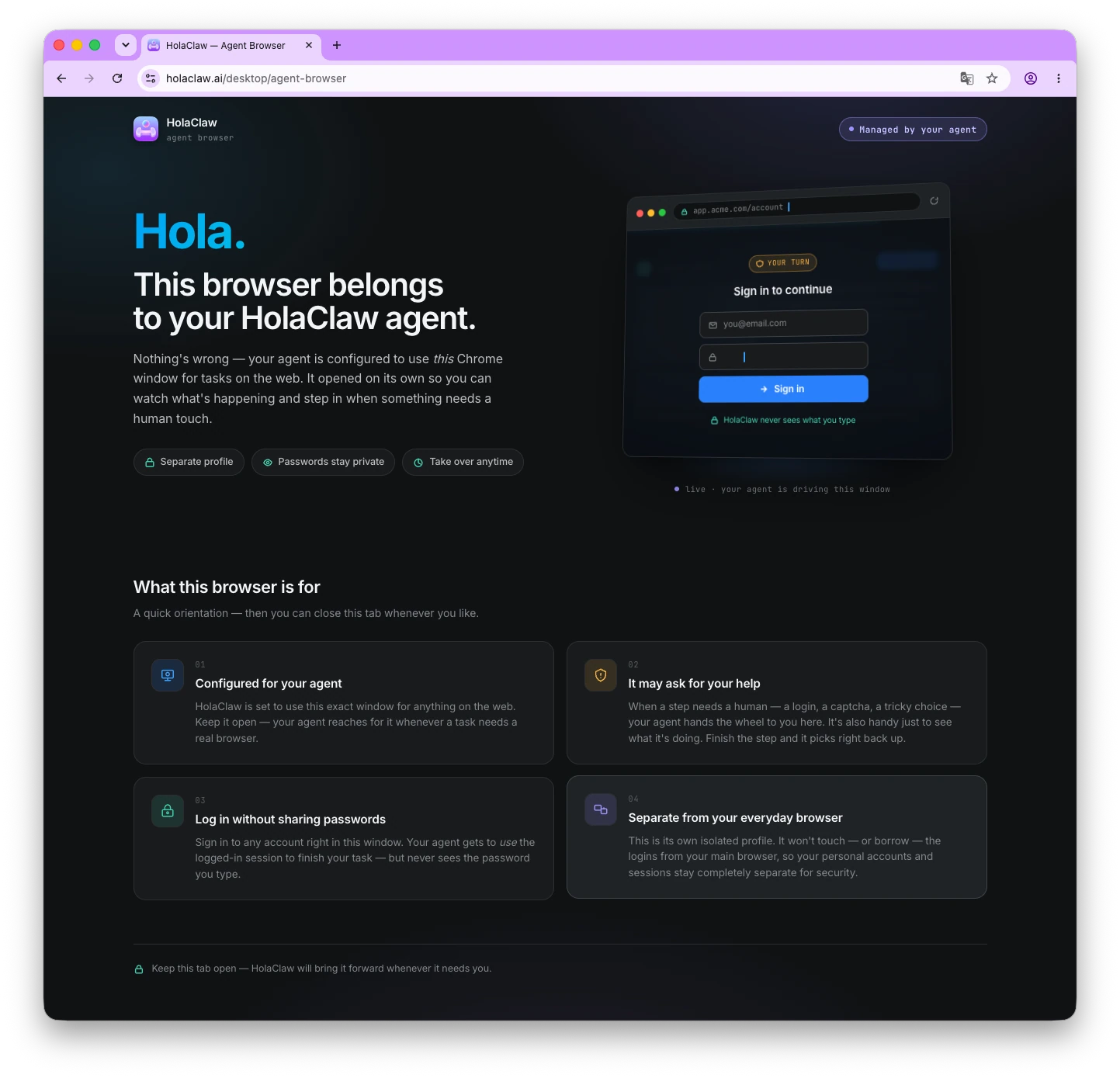
You can watch it work, and you can take the wheel whenever you want. When your assistant is running, a Show browser button in the chat header brings the window forward.
Host mode needs Google Chrome, and it's macOS only.
Your everyday browsing stays untouched
Your assistant does not use your normal Chrome profile. It runs in a dedicated profile that HolaClaw creates and manages for it. Your bookmarks, history, saved passwords, and open tabs are never read and never changed. Its logins are its own and yours are your own.
Where the browser's data lives on your Mac
This applies to Host only. The profile and cache are stored per assistant, next to that assistant's VM state, under:
~/.local/share/holaclaw/vf-vms/<vm-name>/browser/
Isolated: the built-in browser
With Isolated, your assistant uses a self-contained browser that ships with HolaClaw and runs inside the assistant's private virtual machine. Nothing is installed on your Mac and nothing appears on your screen. There's no separate profile folder to know about, because the browser and everything it stores live in the VM along with the rest of the assistant.
The trade-off is that it runs invisibly, so you can't help it. You can't sign in for it, you can't solve a captcha for it, and more sites will detect it and block it. It suits an assistant that rarely touches the web, or only reads pages that don't need an account.
Which one should I pick?
Pick Host if your assistant needs to do anything real on the web, especially on sites you have an account with. Pick Isolated if browsing is incidental and you'd rather not have a browser window opening on your Mac.
If you're unsure, choose Host. It's the default, it handles far more, and the worst case is a window you occasionally see.