
Warning These guides are meant for advanced users. If you are not comfortable making low-level system changes, use the regular HolaClaw app and standard docs instead.
The OpenClaw Gateway is the service that connects your assistant to its channels (like Telegram) and routes messages to and from the AI model. If your assistant stops responding, drops a channel, or behaves oddly after a configuration change, restarting the Gateway is usually the quickest fix — it reloads the configuration and reconnects every channel without touching your assistant's memory or settings.
There are two ways to restart it: from the app, or over SSH. Most users should use the app.
Option 1: Restart from the app (recommended)
The HolaClaw app exposes a status page for each assistant. From there you can restart the Gateway with a single click — no terminal required.
Step 1: Open the assistant's status page
Open the HolaClaw app and go to the status page for the assistant you want to restart. It shows the Gateway's current state along with the channels it's connected to.
Step 2: Click Restart
On the status page, click Restart. HolaClaw stops the Gateway, reloads its configuration, and brings it back up. This usually takes a few seconds.
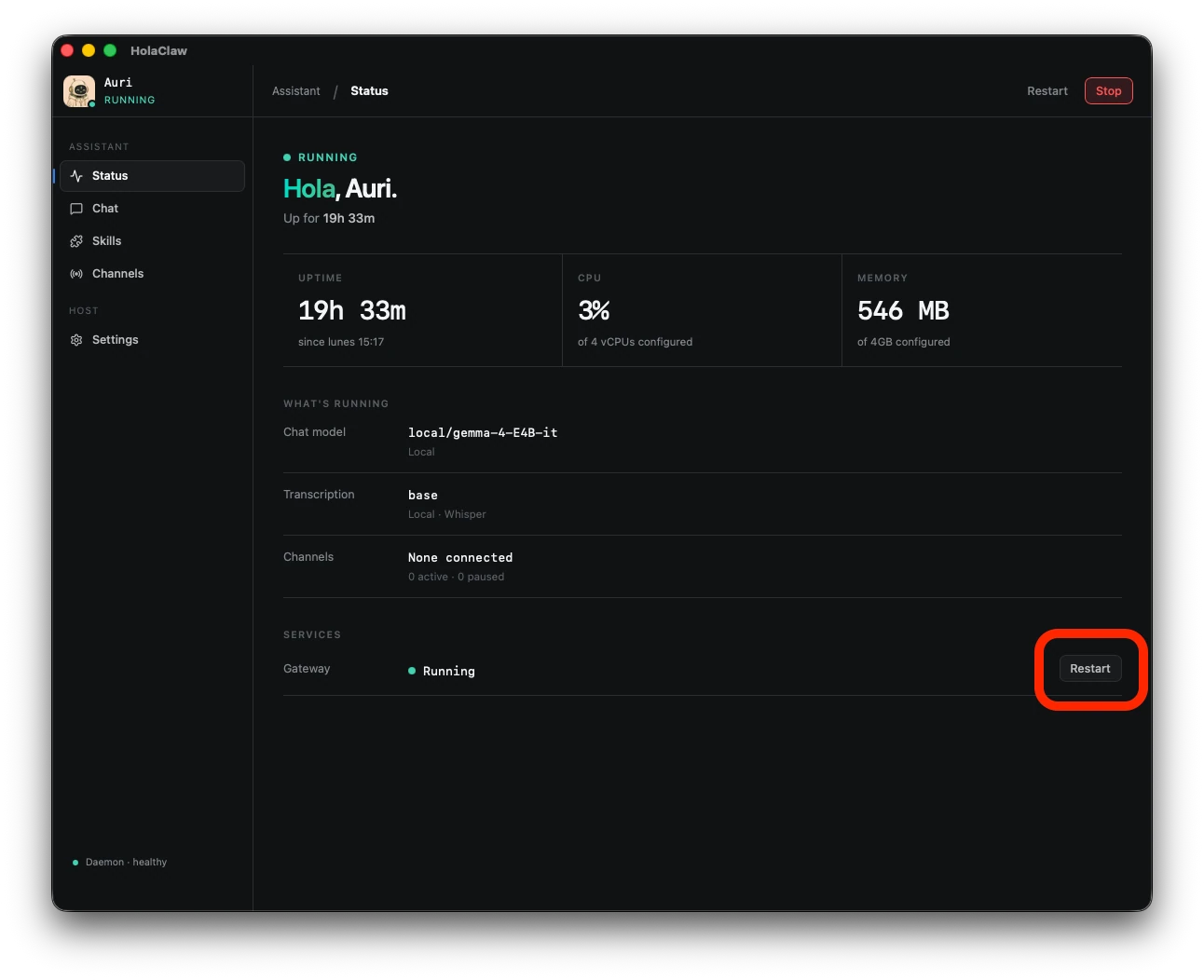
Once the status returns to Running, your channels will reconnect automatically and your assistant will start responding again.
Option 2: Restart over SSH
If you already work inside the VM — or the app's status page is unavailable — you can restart the Gateway directly from a terminal.
Step 1: Connect to the VM
SSH into the HolaClaw virtual machine using the command from the app. See Access the HolaClaw virtual machine for the full walkthrough.
Step 2: Run the restart command
Once you have a shell inside the VM, run:
openclaw gateway restart
The command stops the Gateway, reloads its configuration, and starts it again. When it returns, the Gateway is back up and your channels will reconnect.
What a restart does?
A restart only cycles the Gateway process. It:
- Reloads the Gateway's configuration and reconnects every channel.
- Preserves your assistant's memory, personality, and channel settings.
- Does not reinstall OpenClaw, restart the VM, or change which AI provider you use.
If a restart doesn't resolve the issue, the problem is likely elsewhere (the VM itself, your provider key, or a channel's own configuration) rather than the Gateway.
If the restart doesn't help
- Give it a moment. Channels can take a few seconds to reconnect after the Gateway comes back up.
- Restart a second time from the status page in case the first attempt was interrupted.
- If the VM itself looks unhealthy, see HolaClaw VM won't boot.
- If it still won't recover, share what you're seeing in the HolaClaw Discord.
Related
- Access the HolaClaw virtual machine — connect to the VM over SSH before running Gateway commands.