
Claude is HolaClaw's default recommendation. Made by Anthropic, it has a warm, attentive conversational style that pairs beautifully with HolaClaw's memory system — it picks up small details you mention and weaves them back in later. If you want one provider that's great at long conversations, nuance, and writing, this is it.
Thoughtful, steerable assistants from Anthropic.
- Authentication
- API key
- Cost
- $$
- Recommended model
- Claude Sonnet 4.6
What you'll need
- An Anthropic account at platform.claude.com.
- A payment method — Anthropic works on prepaid credits, so you top up a balance before you chat.
- HolaClaw installed on your Mac.
The whole setup takes about five minutes.
Get your API key
Claude connects to HolaClaw with an API key — a long secret code that proves to Anthropic that requests come from your account. Think of it as a password your assistant uses on your behalf. Anyone who has the key can spend your credits, so treat it like a password too.
- Sign in at platform.claude.com.
- Open API keys and click to create a new key. Give it a name you'll recognize later, like "HolaClaw".
- Copy the key right away — it starts with
sk-ant-and is shown in full only once. If you lose it, just create a new one. - While you're there, add some credits on the billing page if your balance is empty. Without credits, every request will fail even though the key itself is valid.
Heads-up — a Claude subscription is not API access. If you pay for Claude Pro or Max on claude.ai, that subscription covers the Claude apps and website only. It does not power HolaClaw — Anthropic keeps the consumer subscription and API access as separate products with separate billing. For HolaClaw you need an API key and prepaid API credits, even if you already subscribe.
Connect it to your assistant
You pick the provider while creating an assistant, in Step 2 · Model provider — the screen that says "Connect the brain behind your assistant."
- In HolaClaw, start the Create Assistant flow and go to Step 2.
- Choose Claude in the provider sidebar. You'll see Claude · Anthropic with the tagline "Thoughtful, steerable assistants from Anthropic."
- Paste your key into the Claude API Key field. It's masked like a password, which is normal.
- Pick a model (more on that below) and continue with the rest of the setup.
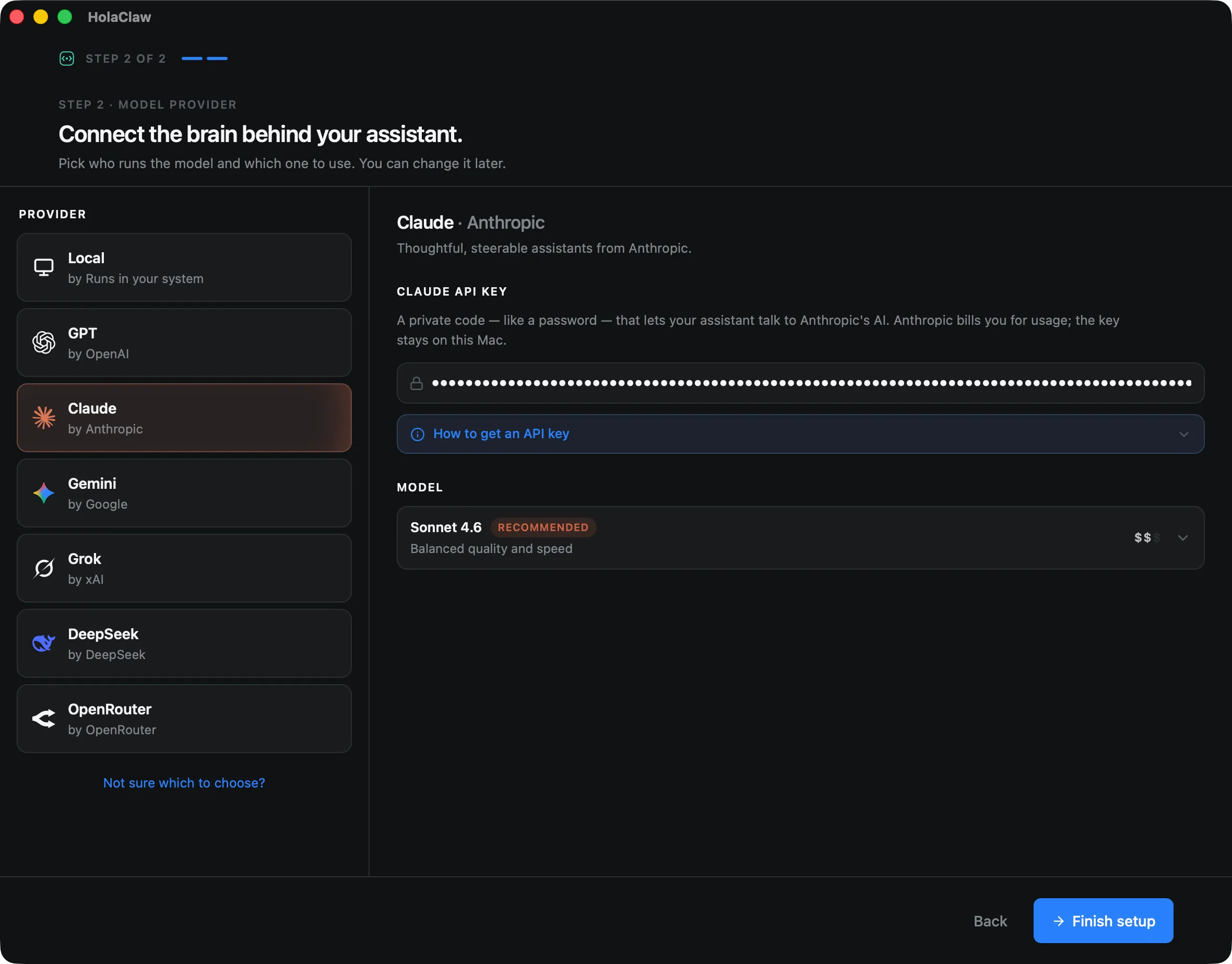
As the app says right below the key field: "Your credentials stay on your Mac — we never send them anywhere." The key is stored inside the assistant's private virtual machine on your Mac. HolaClaw's servers never see it, and Anthropic bills you directly — HolaClaw adds nothing on top.
Choosing a model
HolaClaw offers two Claude models:
| Model | Best for | Speed | Cost |
|---|---|---|---|
| Claude Sonnet 4.6 (recommended) | Everyday chat, journaling, planning, writing | Fast | Moderate |
| Claude Opus 4.8 | Heavyweight reasoning, complex multi-step tasks | Slower | Higher |
Claude Sonnet 4.6 is the recommended default and the right pick for almost everyone — it balances speed and quality, and it's plenty smart for a daily companion, a travel planner, or a writing partner.
Claude Opus 4.8 is Anthropic's most capable model. Reach for it when your assistant regularly tackles genuinely hard problems — deep research, intricate planning, demanding analysis. It's pricier and slower, and frankly overkill for everyday conversation.
Tip — when in doubt, Sonnet. The model choice is per-assistant, made at creation time. If you later decide you want the other model, create a new assistant with it — your existing assistant keeps the brain it was born with.
What it costs
Anthropic charges per token — roughly a short word or word-fragment of text. Every message you send and every reply your assistant writes consumes some, and your prepaid credit balance ticks down accordingly. There's no monthly fee: you pay only for what you use.
In practice, a chatty daily assistant on Sonnet typically costs cents per day. Opus multiplies that — same conversation, noticeably bigger bill. For current per-token prices, see your billing dashboard — we don't quote numbers here because they change. To get a feel for how a message breaks into tokens before you send it, paste it into our free token counter; it estimates Claude token counts and cost right in your browser.
Troubleshooting
When something goes wrong with the connection to Anthropic, HolaClaw shows a banner in the chat explaining what happened. Here's what each one means:
- "Claude is out of credits" — your prepaid balance hit zero. Top up at console.anthropic.com/settings/billing and your assistant resumes on the next message.
- "Claude API key is invalid, expired, or out of credits" — the key was revoked, mistyped, or the account can't pay. Create a fresh key at platform.claude.com and update it in the assistant's settings, or top up your balance.
- "Claude rate limit or quota reached" — you're sending requests faster than your account tier allows. Wait a little and try again, or upgrade your plan with Anthropic.
- "Claude is currently unreachable" — Anthropic's servers are having a moment. Nothing to fix on your end; the next attempt goes through once their service recovers.
Still stuck? The HolaClaw Discord is a friendly place to ask.
Next steps
Not sure Claude is the right brain for this assistant? Compare all the options in Choosing an AI provider — and remember you can always create another assistant with a different one. And if you'd rather not manage an Anthropic account at all, you can also reach Claude models through OpenRouter with a single key that covers many providers.