
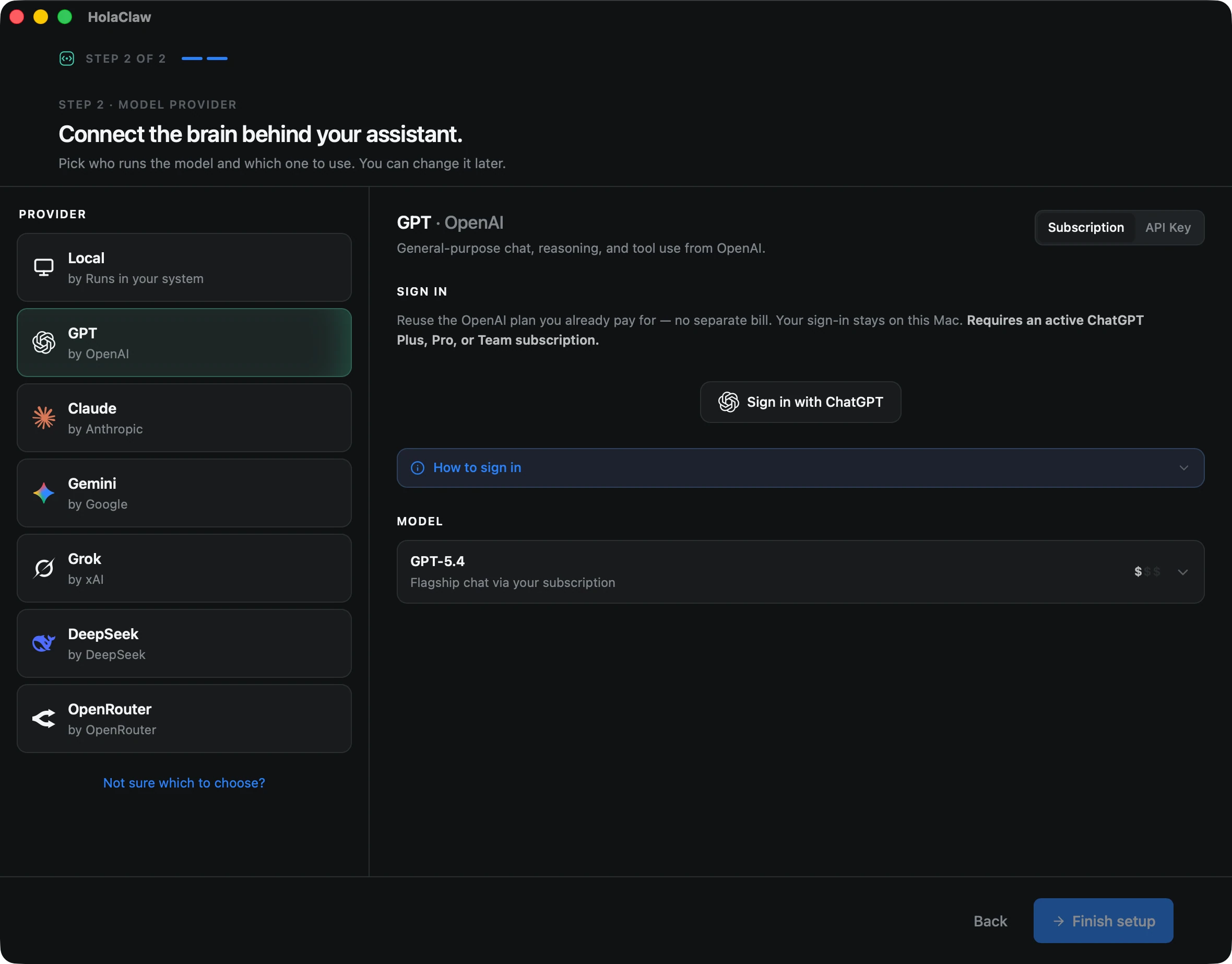
When you create an assistant in HolaClaw, one of the first decisions is which AI model powers it. Each provider has its own personality, pricing, and trade-offs — and the right answer depends on what you're building.
This page is the short version: a side-by-side comparison and a one-paragraph feel for each provider. Every provider also has its own guide with step-by-step setup, model recommendations, and pricing details — follow the links below when you have narrowed it down.
Tip — the short version. If you're just starting out, pick Anthropic Claude. It's a great all-rounder, handles long conversations well, and works beautifully with HolaClaw's memory system. You can always use a different provider for your next assistant.
Quick comparison
| Provider | Auth | Best for | Cost | Runs locally? |
|---|---|---|---|---|
| Claude | API key | Long conversations, nuance, writing | $$ | No |
| OpenAI | ChatGPT subscription or API key | General use, broad knowledge | $$ | No |
| Gemini | API key | Multimodal, long context, low cost | $ | No |
| Grok | API key | Snappy answers, distinct voice | $$ | No |
| DeepSeek | API key | Capable chat at very low cost | ¢ | No |
| OpenRouter | API key | Trying many models with one key | varies | No |
| Local | None | Privacy, offline use, no API costs | Free | Yes |
Anthropic Claude
Claude is our default recommendation. It has a warm, conversational feel that pairs well with HolaClaw's memory system — it picks up on small details you mention and remembers them naturally across sessions. Great for journaling companions, writing partners, and travel planners (like Luna). Authentication is by API key.
OpenAI
The most familiar option, and the only provider with two ways in: sign in with the ChatGPT subscription you already pay for (Plus, Pro, or Team), or bring a platform API key and pay per token. GPT models are versatile, fast, and excellent all-rounders.
Google Gemini
The budget-friendly option with a huge context window. Pick Gemini if you want low API costs, plan to send long documents or many images, or want an assistant that can hold a lot of context at once. Authentication is by API key from Google AI Studio.
Grok (xAI)
Grok has a distinct, looser voice and tends to answer with confidence on current events. Pick it if you want an assistant with a different personality from the default cloud models. Authentication is by API key.
DeepSeek
Remarkably capable models for the price — a fraction of the equivalent OpenAI or Anthropic tier. Pick DeepSeek if cost matters most and you're willing to trade a little polish for very cheap tokens. Authentication is by API key.
OpenRouter
Not a model maker but a router: one API key that unlocks models from Anthropic, OpenAI, Google, xAI, DeepSeek, and more. Pick OpenRouter if you want to experiment across providers without juggling half a dozen accounts and keys.
Local models
If privacy matters most, run a model entirely on your Mac. No data ever leaves your machine — no API keys, no cloud, no usage bills. HolaClaw ships with an embedded runtime, so there's nothing extra to install; models download on demand from inside the app. The trade-off is speed and quality, and you'll want an M-series Mac with 16GB+ of unified memory.
Not locked in
You choose the provider and model whenever you create an assistant, and each assistant can use a different one — a local model for a private journal, Claude for a writing partner.
One thing to know up front: the choice is made once, at creation. There's currently no way to change the provider or model of an existing assistant. If you change your mind, create a new assistant with the provider you want — and since assistants are quick to set up, that's less of a chore than it sounds.
Still not sure? Ask on Discord — the community is happy to share what they're using for what.